
Commercial Real Estate · Operations · Built by Fusion Interactive
Every deal has a story. Keep it together.
A commercial property deal connects a lot of moving parts: the company, the decision-maker, the space, the budget, and the next conversation. We built Monterrey CRM for Trasciende around that whole relationship.
Built around the work
A CRM should know what the team is trying to do.
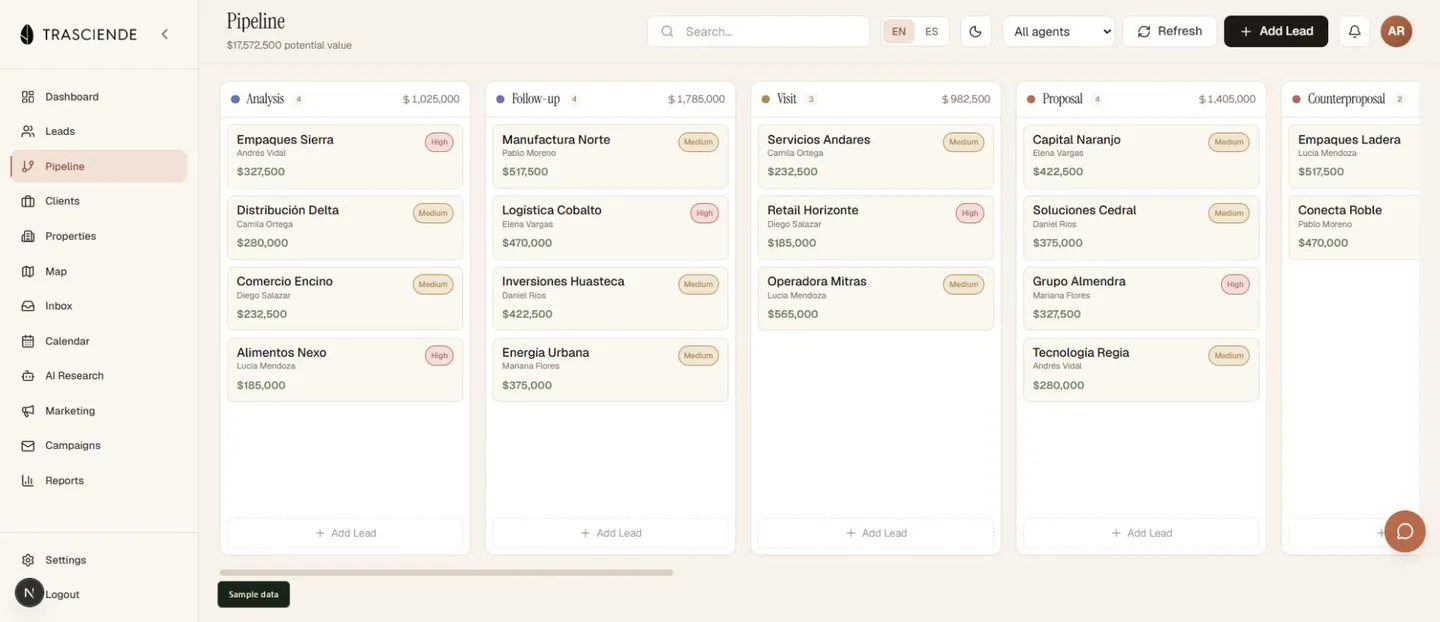
Commercial real estate has its own rhythm. A prospect needs a particular type of space, in a particular area, at a particular price. The right property still needs a visit, a proposal, a negotiation, and a series of decisions before it becomes a closed deal.
For Trasciende, we built a workspace that connects those steps. The lead, property requirements, conversations, ownership, and closing stage stay connected as the opportunity develops.
That is where custom software earns its keep: the structure reflects the work people actually do.
The connected workflow
From first conversation to closing.
Capture the whole brief.
Record the company, contact, location, budget, space requirements, and decision timeline. Give the next person enough context to move the conversation forward.
Connect people and properties.
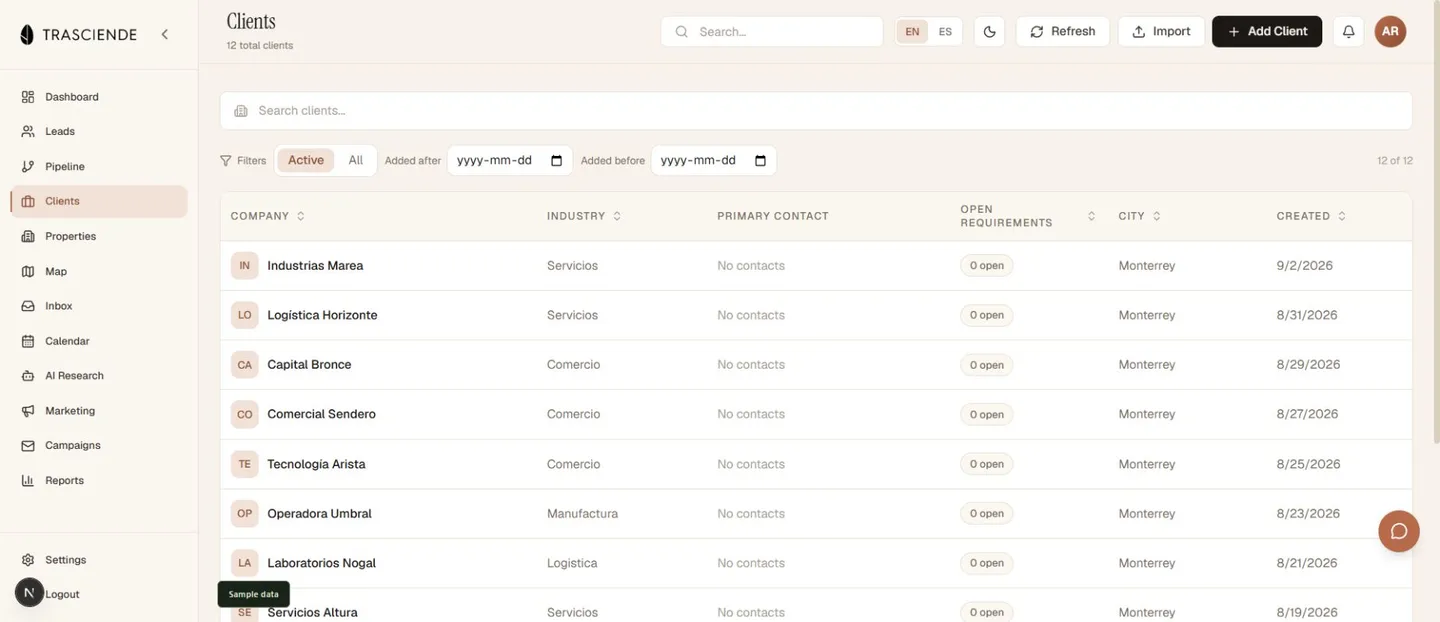
Work with property inventory, units, client requirements, and shortlists. Keep the property search tied to the client relationship and the people doing the work.
Make the next step visible.
A 12-stage closing pipeline carries opportunities through visits, proposals, negotiation, documentation, and contract. Ownership and follow-up sit beside the stage.
Visibility for the team
See the activity behind the pipeline.
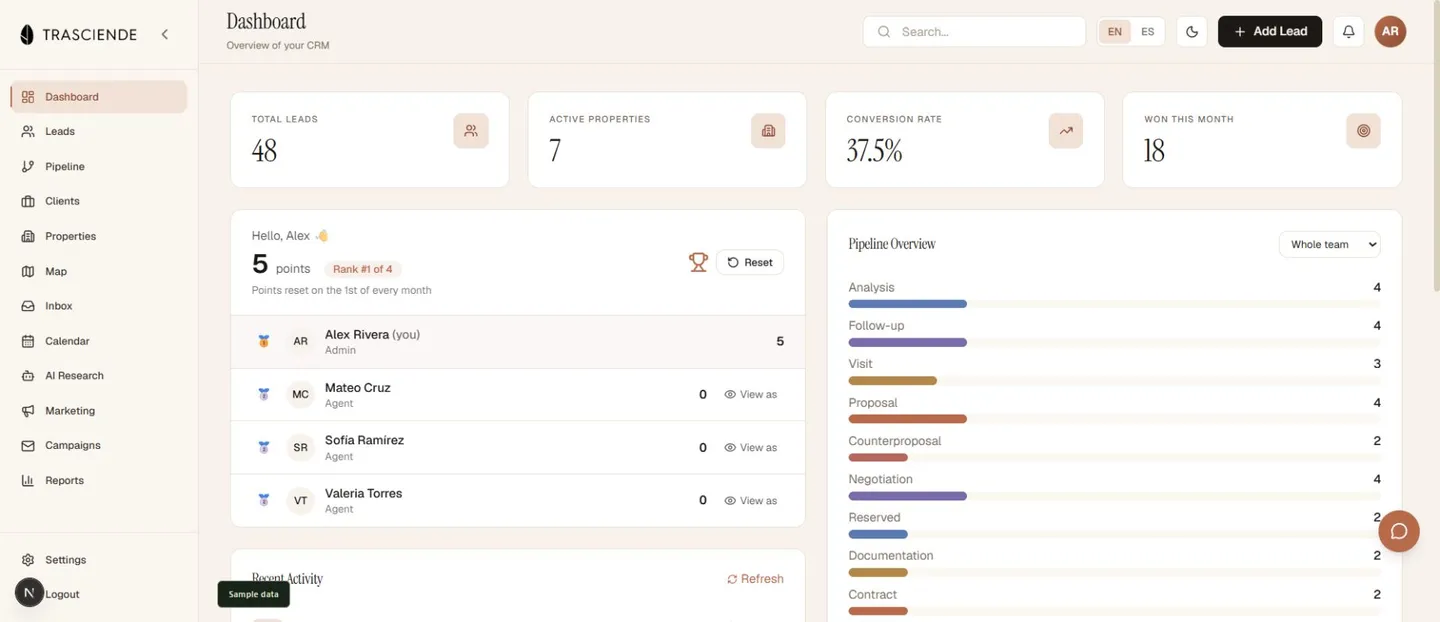
The dashboard brings leads, properties, conversion, recent activity, and stage distribution into one view. An agent can see where the work stands and pick up the next conversation with context.
English and Spanish interfaces support the way the team communicates. The application also includes inbox, calendar, AI research, and reporting workspaces alongside the core CRM.
We put the everyday actions within reach: open the record, review the history, update the stage, and keep moving.
Reporting that follows the deal
The numbers have a job to do.
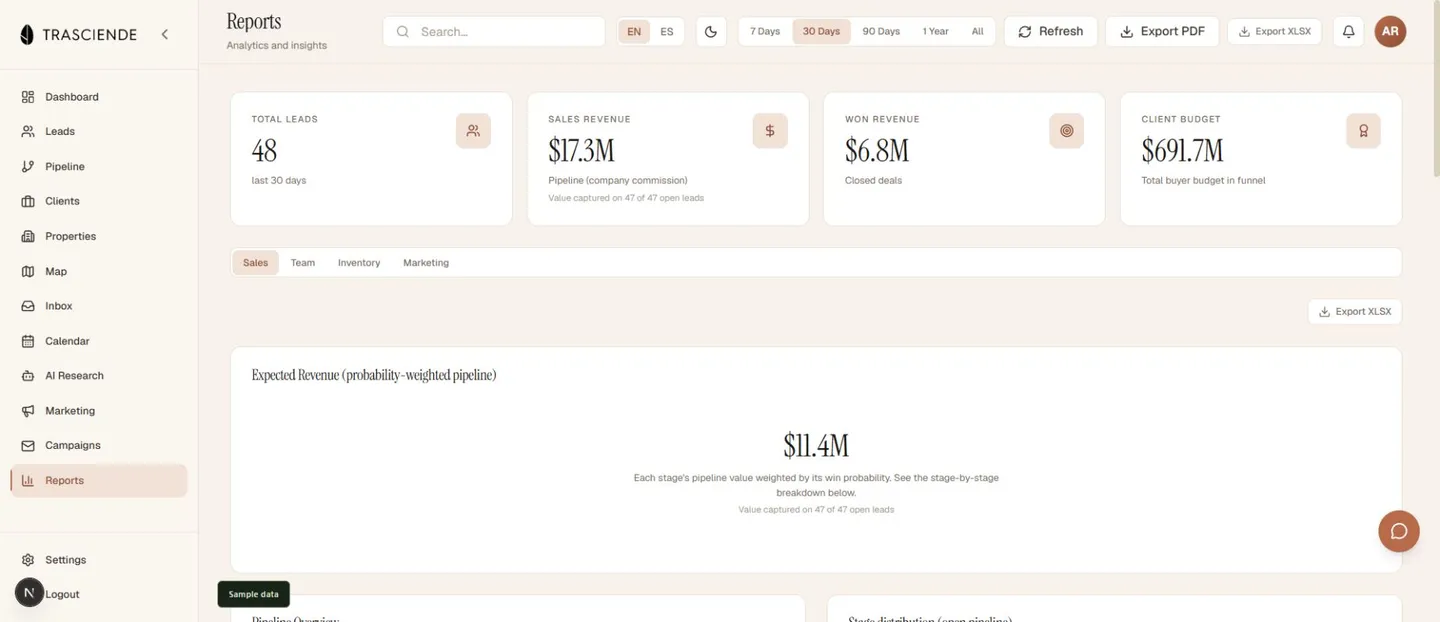
A useful sales report helps the team decide where to spend its attention. Monterrey CRM brings together stage distribution, expected commission, won revenue, and the buyer budgets attached to opportunities.
Those figures answer different questions. What is in the pipeline? What has closed? What can the client spend? Keeping them distinct makes the report easier to use.
From overview to detail.
Review the sales pipeline, switch to team or inventory reporting, and export a report when the conversation needs to leave the CRM.
The sample workspace shows how a busy operation can look inside the finished product.
The Fusion approach
Build around the handoffs.
The interesting part of a CRM is what happens between screens. A requirement becomes a shortlist. A visit becomes a proposal. A conversation becomes the next action.
Monterrey CRM puts those connections at the centre of the product, with a Next.js interface, a FastAPI backend, and PostgreSQL in the production architecture.
See our custom software and AI services, or explore StagePlot Pro for another example of a focused workflow turned into working software.
A few useful answers
About the build.
What is Monterrey CRM?
Monterrey CRM is a custom commercial real estate CRM built by Fusion Interactive for Trasciende. It connects leads, a 12-stage closing pipeline, clients, property inventory, requirements, communications, and reporting in one web application.
Are the screenshots from the actual CRM?
Yes. The screenshots show the actual application running locally with sample companies, people, activities, and financial figures. This lets you explore the workflow while keeping client production data private.
Does the CRM work in English and Spanish?
Yes. The application provides English and Spanish interfaces so the team can work in the language that suits the conversation and the task.
How does the CRM support commercial property sales?
Agents can capture a lead, record property requirements and budget, track the closing stage, review inventory, create shortlists, and keep follow-up activity connected to the relationship. Reports provide views of pipeline stages, expected commission, won revenue, and client budgets.
Can Fusion build a CRM around our own sales process?
Yes. We start with your people, records, and handoffs, then build the stages, permissions, integrations, and screens that support your work. The aim is a system your team can use throughout the day.